

Setting SSL Cipher Priority Order in API Connect
• • by
•
Chris Phillips


•
Pankaj Girdhar
•
Nick Coble
Draft!!
Configuring the SSL cipher priority order is a critical security requirement when API Connect needs to enforce specific cryptographic standards for TLS connections. This allows you to control which cipher suites are preferred during SSL/TLS handshakes with downstream services.
This requires a gateway extension to configure, regardless of the form factor of your API Gateway.
A Gateway extension is made up of a manifest, and the files needed for the config work. In this case it is a single gwd_extension json file.
Understanding SSL Cipher Priority
The SSL cipher priority order determines which cipher suites are offered and preferred during TLS negotiation. By setting a specific priority order, you can:
- Enforce stronger encryption algorithms
- Disable weak or deprecated ciphers
- Comply with security policies and standards (PCI-DSS, FIPS, etc.)
- Optimize performance by prioritizing faster cipher suites
- Ensure compatibility with specific downstream systems
Configuration Steps
Step 1: Create the Gateway Extension File
gwd.ssl-cipher.json
{
   "tls-client":{
      "_global":{
         "profile":[
            "no ciphers",
            "no curves",
            "protocols TLSv1d2+TLSv1d3",
            "ciphers AES_256_GCM_SHA384 ",
            "ciphers AES_128_GCM_SHA256 ",
            "ciphers AES_128_CCM_SHA256 ",
            "ciphers AES_128_CCM_8_SHA256 ",
            "disable-renegotiation off",
            "curves secp256r1",
            "curves secp384r1"
         ]
      }
   }
Understanding the Configuration
Important: The "_global" key in the configuration applies these settings to ALL TLS client profiles in the API Gateway. If you want to modify only a specific TLS client profile, replace "_global" with the exact profile name (e.g., "x2020_x2020_tlsp-analytics-ingestion-defaultV1.0.0").
Example for specific profile:
{
   "tls-client":{
      "x2020_x2020_tlsp-analytics-ingestion-defaultV1.0.0":{
         "profile":[
            "no ciphers",
            "ciphers AES_256_GCM_SHA384",
            "ciphers AES_128_GCM_SHA256"
         ]
      }
   }
}
In the above sample we are overriding the SSL client configuration in the API Gateway. The configuration sets:
- Protocols: Both TLS 1.2 and TLS 1.3 are enabled
- Cipher Priority Order: The ciphers are listed in strict priority order. The gateway will:
- Only offer the ciphers listed (no other ciphers will be available)
- Prefer ciphers in the order specified (top to bottom)
- First cipher listed (AES_256_GCM_SHA384) has highest priority
- Last cipher listed (AES_128_CCM_8_SHA256) has lowest priority
- Elliptic Curve Configuration: Disables auto-negotiation and explicitly sets secp256r1 and secp384r1 curves in priority order
Key Behavior:
"no ciphers"- Clears all existing cipher configurations"ciphers AES_256_GCM_SHA384"- Adds this cipher with highest priority- Each subsequent
"ciphers"line adds the cipher in descending priority order - Only the 4 ciphers listed will be available - all others are disabled
Step 2: Create the Manifest File
manifest.json
{
	"extension": {
		"files": [
			{
				"filename": "gwd.ssl-cipher.json",
				"type": "gwd_extension"
			}
		]
	}
}
The sample manifest simply references the other file that we need in this sample. If you are doing anything more complex then you may need to add additional properties here. It is recommended that you build on the existing one if you are already using one.
Step 3: Package and Deploy
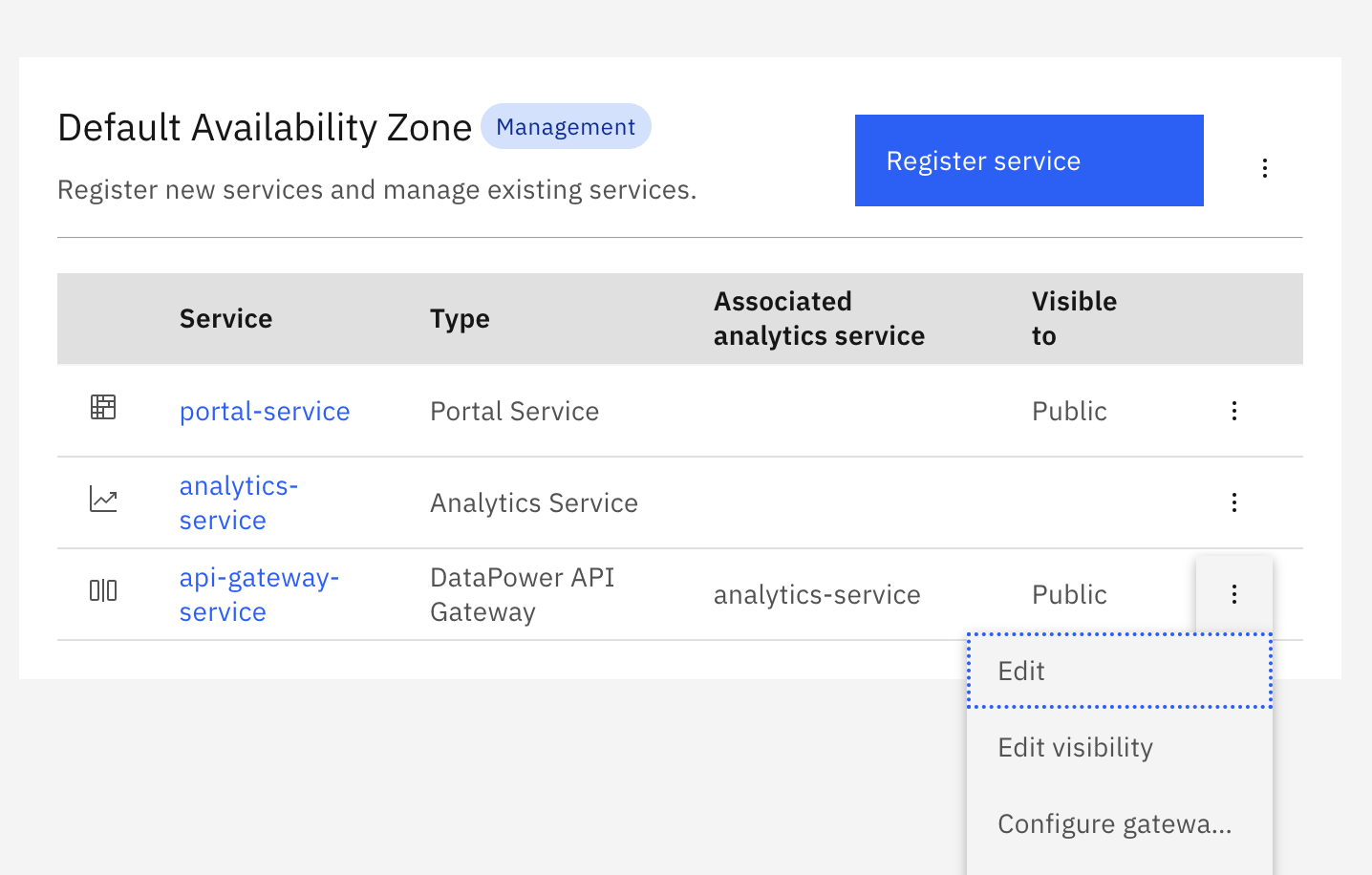
Then put both files into a zip and you have your gateway extension. This can be loaded via the Cloud Manager into an API Gateway service.
Step 4: Verify Configuration
Now if you check in the DataPower you can see the SSL client cipher configuration is correctly set.
You can verify the configuration by:
- Checking DataPower Configuration:
- Navigate to the API Gateway domain
- Check the SSL Client Profile settings
- Verify the cipher string matches your configuration
- Testing with OpenSSL:
openssl s_client -connect your-api-endpoint:443 -tls1_2 -cipher 'ECDHE-RSA-AES256-GCM-SHA384' - Reviewing Connection Logs:
- Check DataPower logs for SSL handshake details
- Verify the negotiated cipher suite matches your priority order